BranderUX MCP for any agent
Connect the BranderUX MCP server and build full agentic applications from your prompts, in any AI tool: the project, the brand, the data, the screens, the agent itself, and the publish. Everything real and live, no API key to paste.
Copy the BranderUX connector URL
You'll paste this into Claude in the next step.
https://mcp.branderux.com/mcp
Go to Claude → Customize → Connectors
In Claude desktop or claude.ai, add a custom connector, name it BranderUX and paste the URL.
Open Claude Connectors ↗Connect, sign in and start
Sign in when the browser opens, then ask Claude to build you a project.
One prompt in, a live app out
✳ Claude
Reply to Claude…
Claude builds it, through the BranderUX MCP
The result, live right now: try it in the frame or open it ↗
Not only full apps
The same conversation handles the smaller jobs, a single element, or wiring the SDK into your own app. Real tool runs, not mockups.
You
Create a custom element for my project: an interactive product grid.
Agent · calling BranderUX
I'll read the authoring contract, write the component TSX myself, and publish it, validation runs before anything ships.
read_doccustom-elements-contractcreate_elementproduct-grid · compile + allowlist checks passedlist_elementsproduct-grid · published v1put_screencatalog · version pinned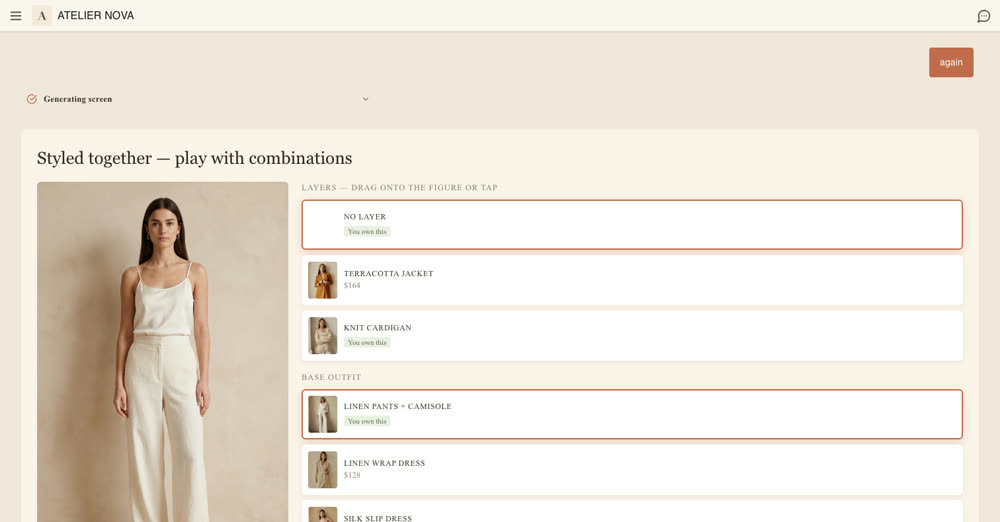
Sandboxed, versioned, and available to the runtime AI immediately.
Build with BranderUX skills in your agent
Every screen below was generated at runtime. Recreate runs the same prompt in Claude.

Full agentic application
“Using the BranderUX MCP, build the whole application for my shop: create the project, set the brand, connect my data, configure the agent, design the home screen, and publish it.”
Interactive element
“Using the BranderUX MCP, create a custom element for my project: an interactive product grid.”

BranderUX in your app
“Using the BranderUX MCP, integrate BranderUX into my Next.js app: create a project, mint an API key, and wire the SDK with a streaming backend route.”
Every tool, inside your agent
42 tools and the docs to use them, your agent reads the reference before it writes, so element code and screen layouts are right the first time. Every destructive tool requires an explicit confirm: nothing is deleted without your yes.
Projects
7 tools
Create and brand real projects
whoami · list_projects · get_project · create_project · update_brand_settings · update_project_settings · delete_project
Custom elements
7 tools
Your agent writes the TSX; we validate, publish and render it live in the panel
list_elements · get_element · list_element_versions · create_element · publish_element_version · preview_element · delete_element
Screens
4 tools
Compose the pattern library the runtime AI learns from
list_screens · get_screen · put_screen · delete_screen
API keys
4 tools
Mint origin-locked embed keys
create_api_key · list_api_keys · set_key_origins · revoke_api_key
Docs & snippets
4 tools
The reference, readable by the agent itself
get_started · read_doc · search_docs · get_integration_snippet
Hosted agent
2 tools
Give the project its own agent: persona, policies, answer quality, budgets
upsert_agent_config · get_agent_config
Business data
5 tools
Managed records or live store/API feeds; every entity becomes a query tool for the agent
define_entity · list_entities · seed_records · update_record · list_entity_records
Connectors
2 tools
Vaulted credentials, and a probe so tools are wired against the real API shape
set_connector_credential · probe_api
Skills
3 tools
SKILL.md behavior packs that ride every conversation
upsert_skill · list_skills · delete_skill
Home screen
1 tools
A designed first paint with live data bindings, zero model cost per visit
set_home_screen
Publish
2 tools
One call and the full application is live: a website for people, an MCP app for agents
publish_site · get_site
Playground
1 tools
Render a branded screen as a live MCP app in the chat, with or without a project
generate_screen
Questions
Connect your agent
Connect in under a minute: the first call opens your browser for a one-click sign-in.